Fivexer

Time and attendance software

Time and attendance, without a clock on the wall.

A rota says who was meant to be there. It does not say who was. Fivexer records the hours from the work itself — the shift a person opened, the tasks they were on, the breaks they took — so the week you price is the week that happened.

See a recorded weekSee it in the console

Runs in your browser on demonstration data. No account, and nothing you try is saved.

A worker at a press on a factory floor, mid-task, machinery running either side of him.

The short answer

Going on shift starts the record and starts the work; there is no separate clock-in. Time against a task is measured from the task, breaks are recorded from the shift, and every correction keeps the name of whoever made it. The worker reads the same record you do, and it exports for payroll.

What it records
Shift start and end, breaks, and time against each task — from the actions themselves, not from a form somebody fills in on Friday.
What it does not supply
Proof of attendance. No GPS trail, no geofence and no biometrics: a time entry is a record somebody made, not evidence of where they stood.
Who decides
Your team. A correction carries an author and the value it replaced, and a signed-off pay period refuses changes to the old times and the new alike.

Going on shift is the clock-in

One switch does both jobs: it opens the working-time record and it makes the person eligible for work. There is nothing else to remember, and no way to be counted as working while no work can reach you. Going off shift closes the record, and coming back from a break ends the break — a break clock still running against somebody demonstrably working is a wrong number waiting to be found at payroll.

Task time is measured, not remembered

Time against a task is written from the task’s own transitions — accepted, finished — rather than typed at the end of the week. Where somebody is holding a backlog the stretches overlap, so two totals are reported: a raw one that counts an overlapping minute in every task it touched, and an attributed one that splits it. Only the attributed total is set beside worked time. For work nobody routed there is a one-tap timer, and naming the entry or attaching it to a task can happen days later, or never.

If your crew is on a desk time tracker

Toggl, Clockify and the tools like them are built for people at a desk billing a client, and for that they are good. They were not built for a crew across three sites: there is no rota behind the hours, no cover when somebody calls in sick, no sign-in for a worker with no company email, and the hours stop at a report rather than reaching payroll. If that is the gap you are feeling, it is the gap this is for. If you are an agency billing project hours, it is not — stay where you are.

A correction is a record, not an edit

Changing an hour keeps what it was, what it became, a note, and who did it — a named person, or an integration naming itself, because a worker told their record was adjusted by nobody has not been told anything. Once a pay period is signed off it refuses changes, checked against both the old times and the new: moving an hour out of a closed period changes what that period totalled just as surely as editing one inside it.

The record is the worker’s too

Whatever a manager can read about somebody’s hours, that person can read about their own. The parity is deliberate: it is the difference between a timesheet and surveillance, and it is also what a working-time record is supposed to be — objective, reliable and accessible, in the words of the Court of Justice in CCOO (C-55/18). Export it as CSV for payroll, or for whoever asks to see it.

A Wednesday that ran late

Illustrative example of what gets written and by whom, not a customer result.

What happenedWhat was recordedWho did it
Anna goes on shift06:04 — the record opens and work starts routingAnna, in the worker app
A fault is accepted, then finished06:12–09:58 against that taskNobody — written from the task
Half an hour counting stock, unrouted14:12–14:44, named afterwardsAnna, one tap
The clock-out was missedCorrected, keeping the value it replacedA dispatcher, with a note

The screen this happens on

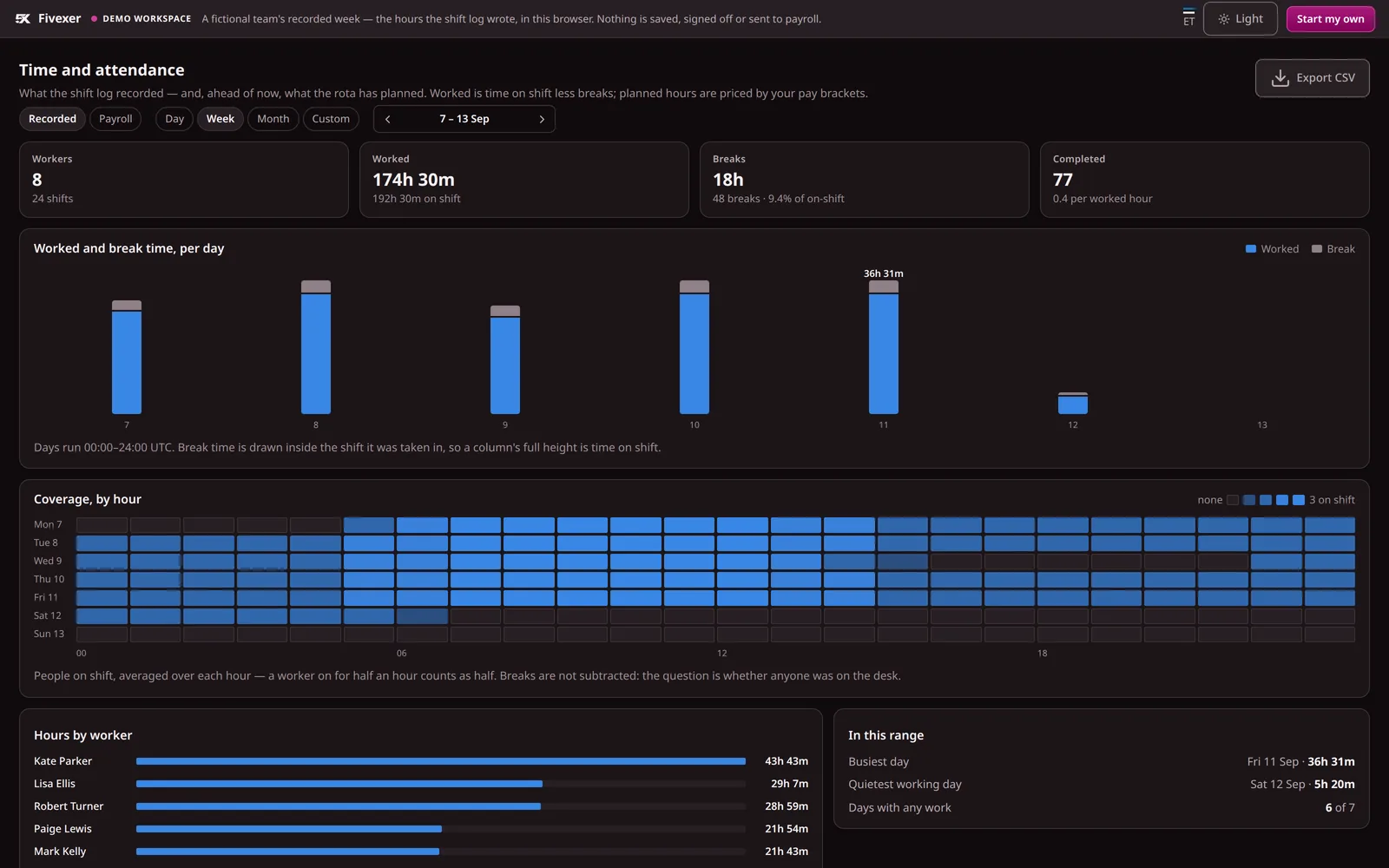
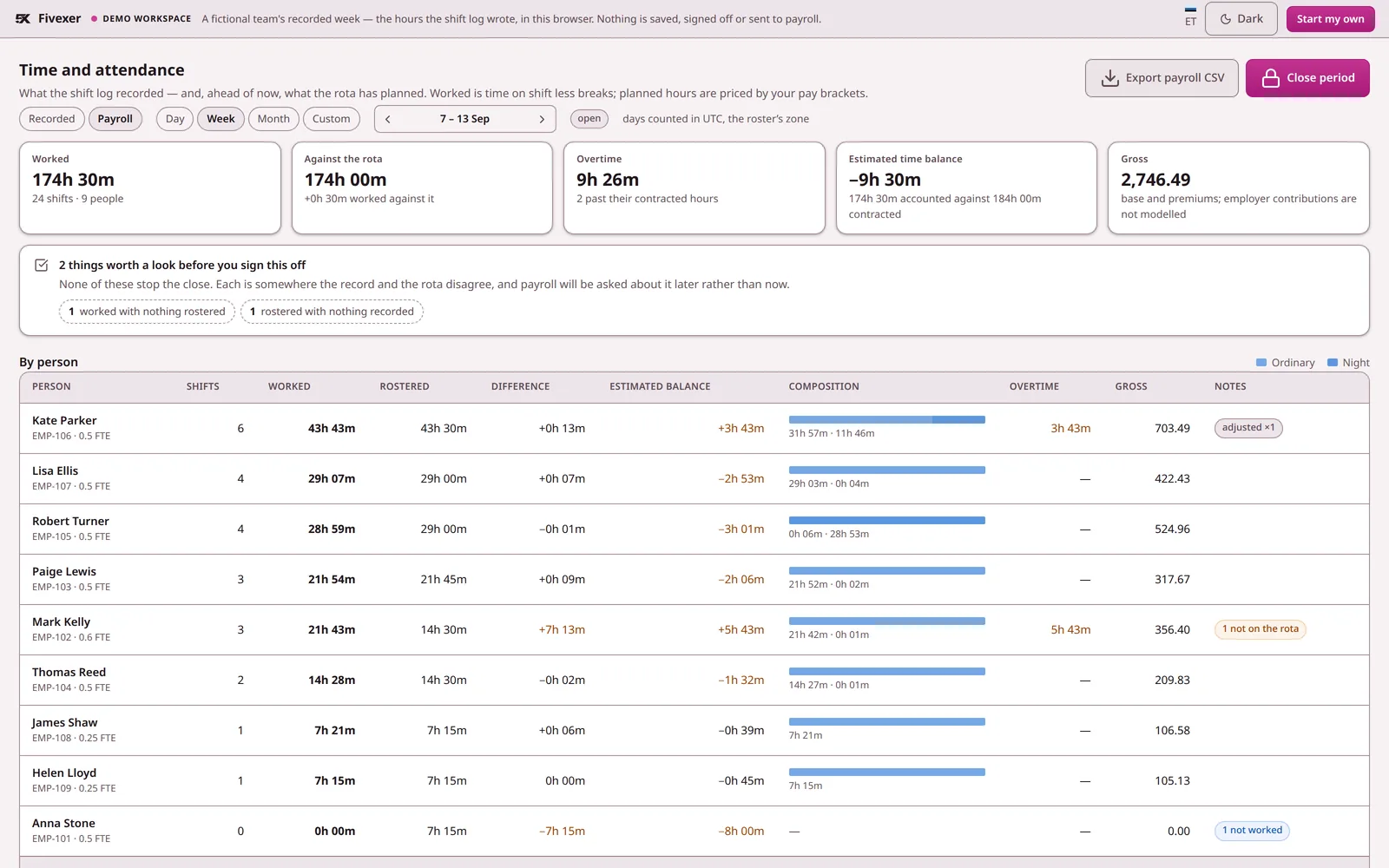
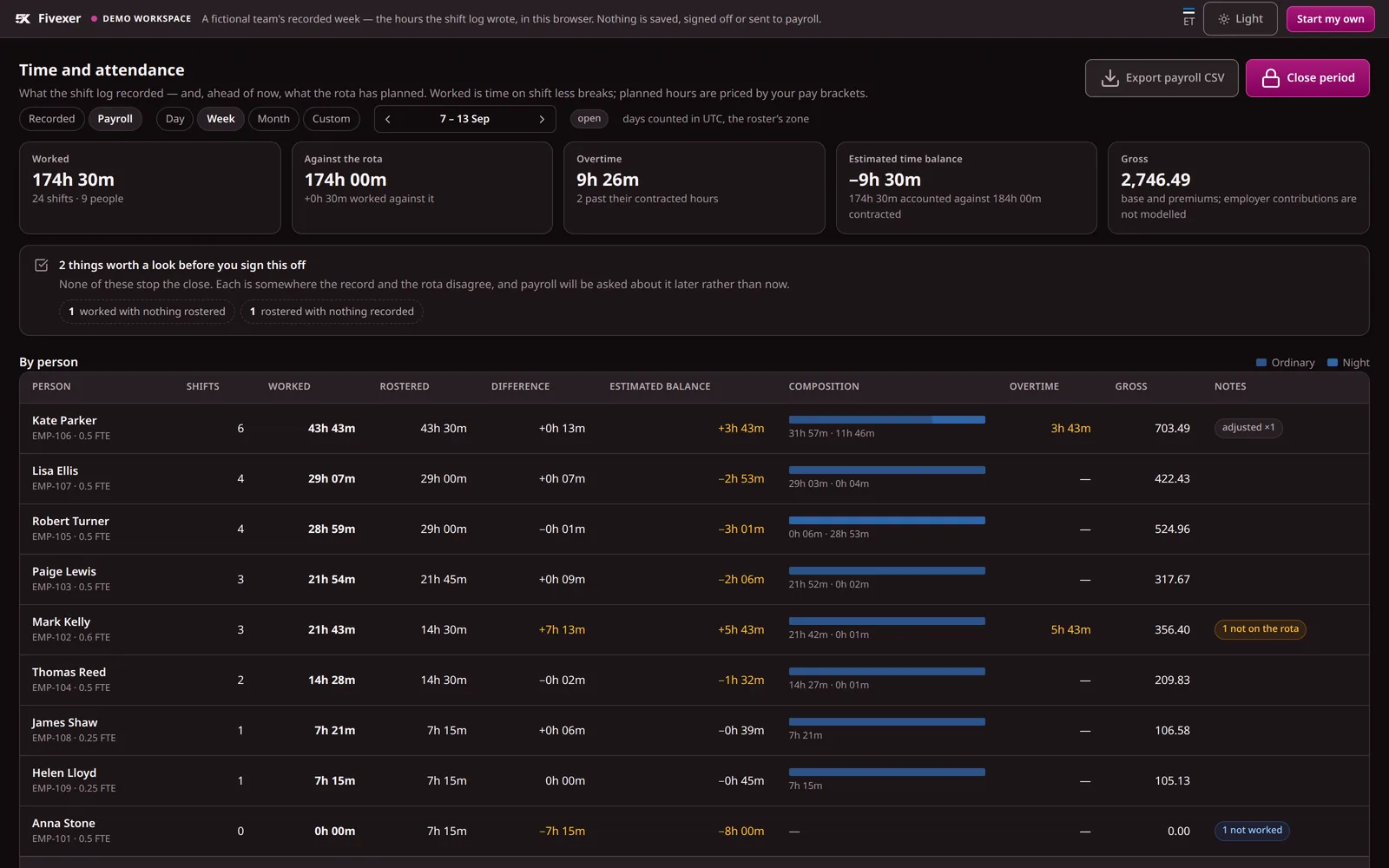
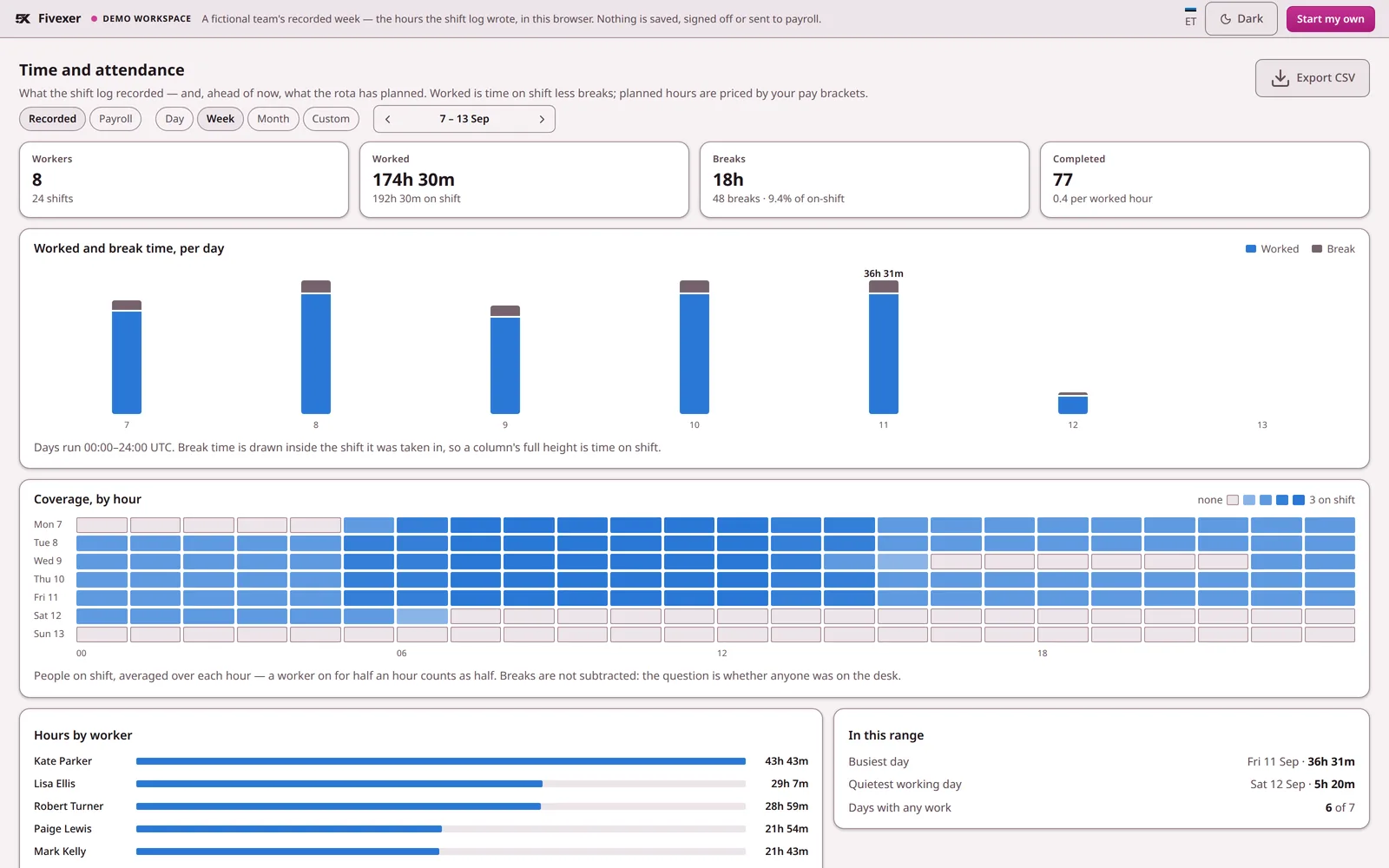
Not a mock-up. The console below runs on a recorded sample week; open it to step through the days, read one person's log and price the hours yourself.

The Fivexer console's time and attendance board for a recorded week: worked and break time per day, a coverage heatmap hour by hour, and hours by worker.
The Fivexer console reading a recorded week, on a fictional team you can open yourself. Nobody typed these hours — every figure is the shift log, added up.

What to account for

Fivexer prepares hours. It does not calculate tax or produce payslips, it is not a proof-of-presence system, and there is no dedicated kiosk surface — a shared device is a browser signed in with a worker PIN.