For teams running a frontline crew on Toggl Track, 20–250 staff
A Toggl Track alternative for crews that work shifts
Toggl Track times what a person is working on. It does not say who is on tonight, who may cover the 6am call-in, or whether the week breaks a rest rule. If the timer is standing in for a rota, that is the gap this closes — at €0.50 a person instead of $9.
- €0.50 a person, past the first 15
- A rota behind the hours
- Sign-in without a work email

Test the same absence before switching
Use this evaluation scenario in both products: 40 workers, five client sites, recurring shifts, site permissions and one same-day absence. These are trial assumptions, not a benchmark or customer result.
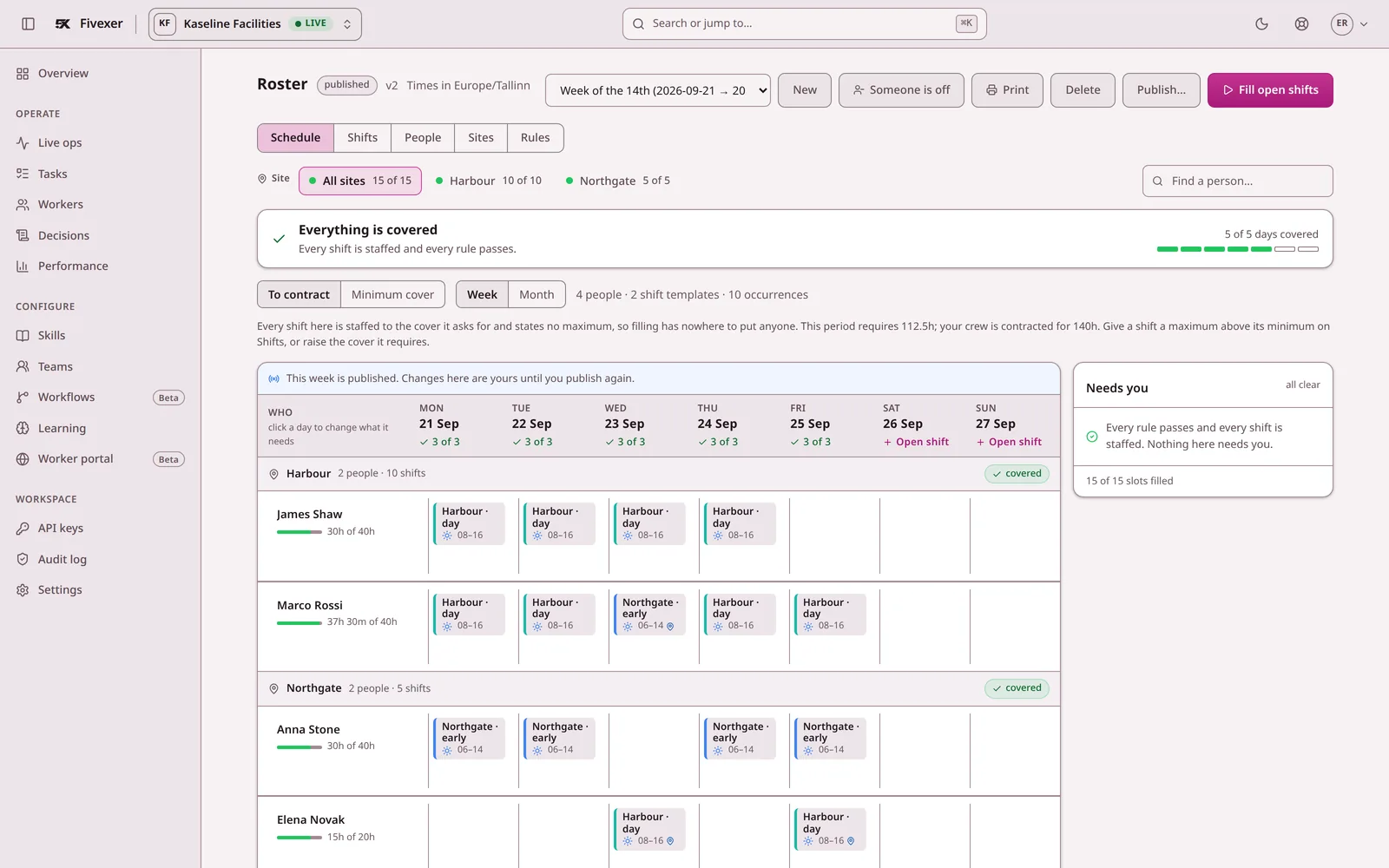
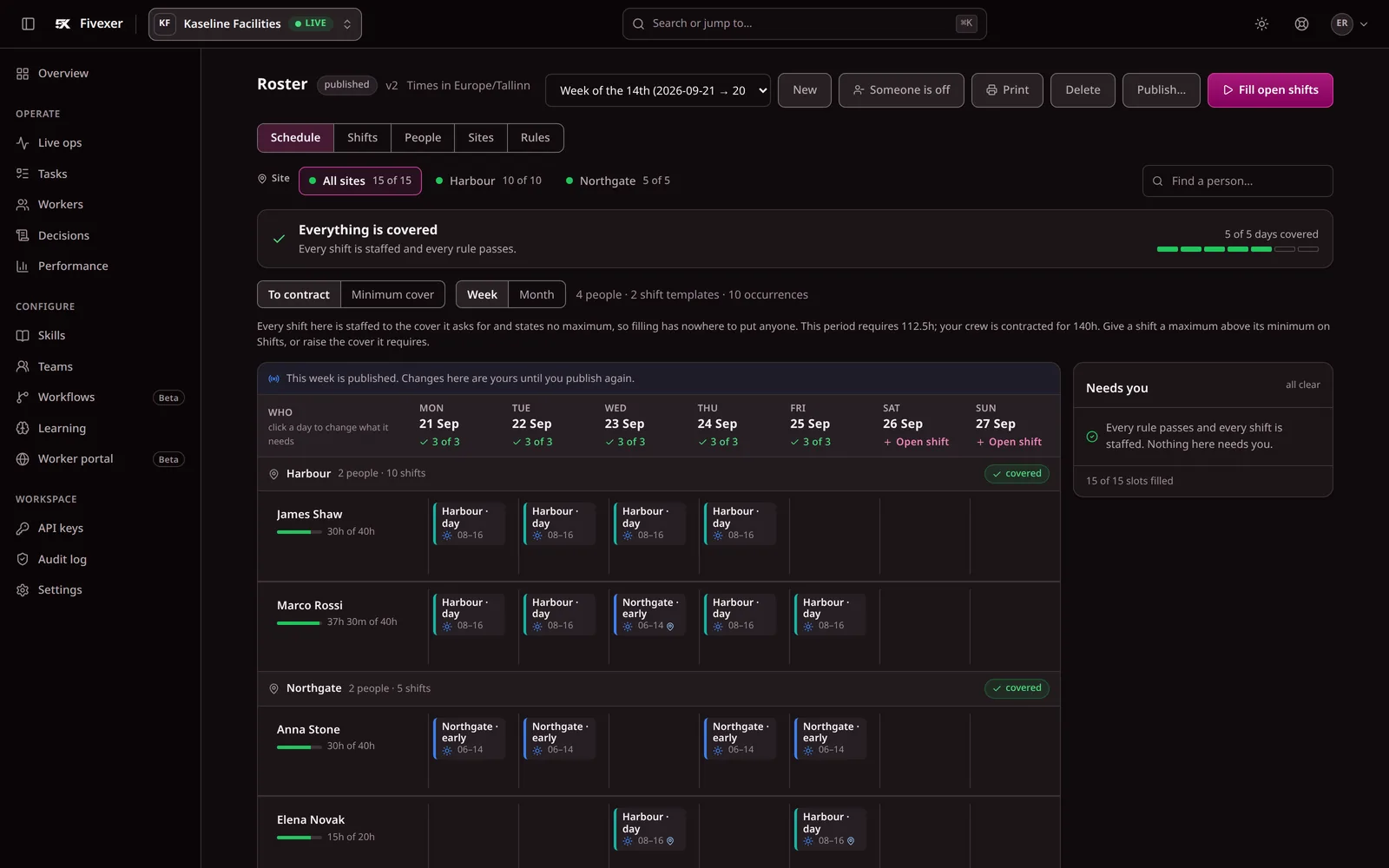
Check whether the replacement is available, qualified and permitted at the site. Inspect rest and existing assignments, then confirm how the change reaches the worker. Record what each product actually does in your trial, including any setup needed.
Use the shift-cover workflow as your test sheet. If you are also migrating a spreadsheet, follow the rota migration checks.
Toggl also offers scheduling and shift-change workflows. Review the vendor’s own scheduling documentation alongside your trial.
What you would be looking at instead of Toggl
Three screens from the running console, so you can compare them with what you use today.
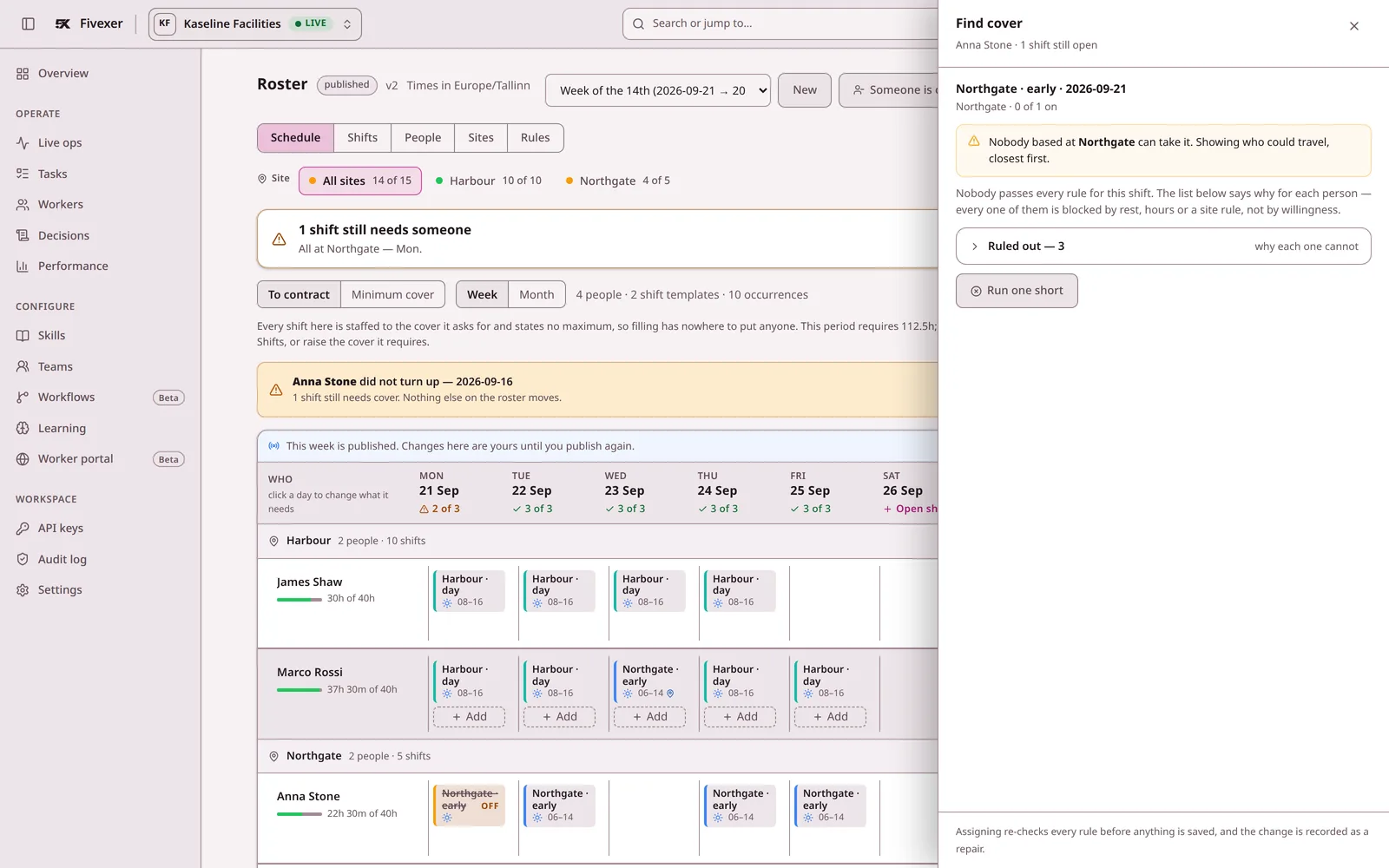
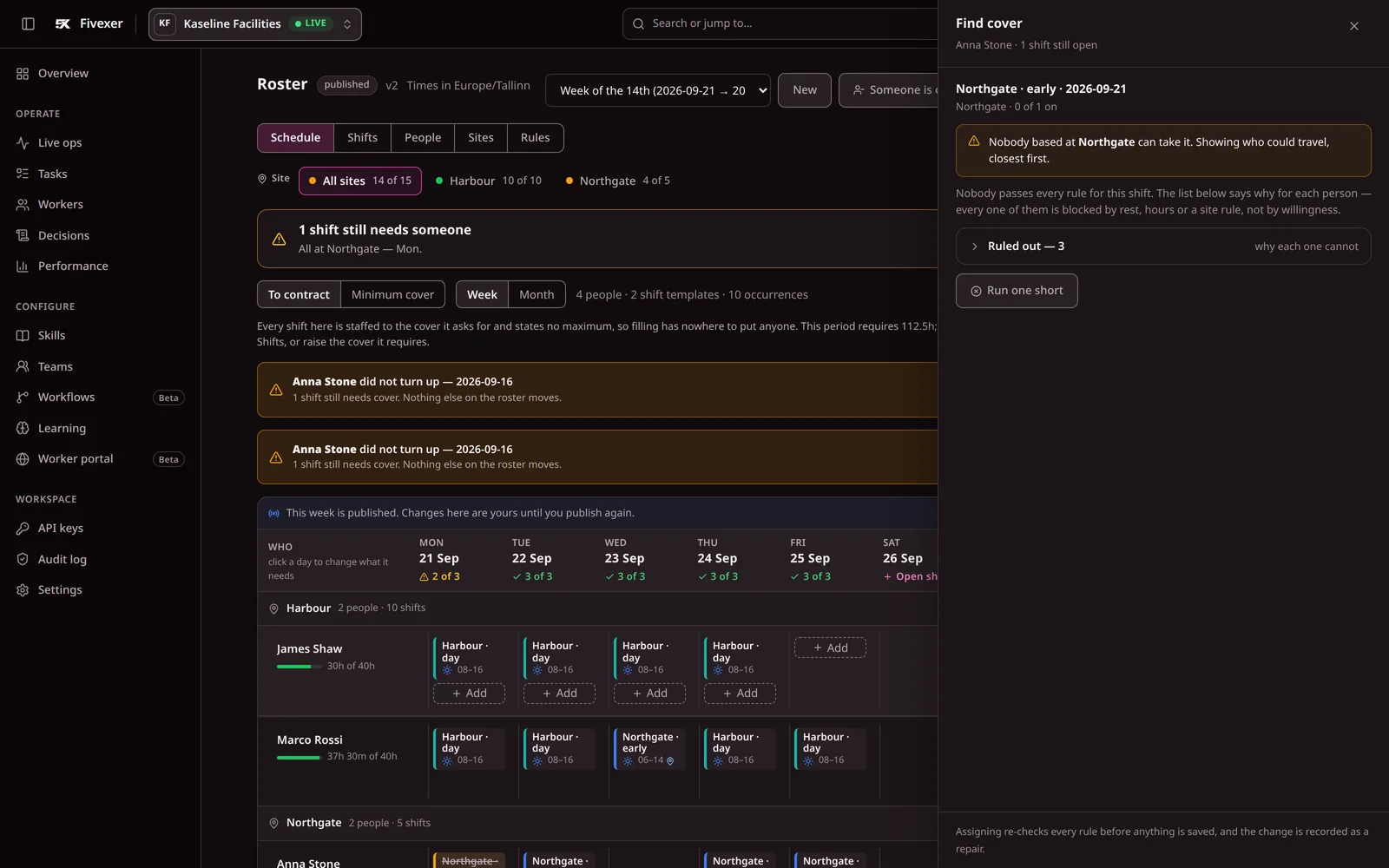
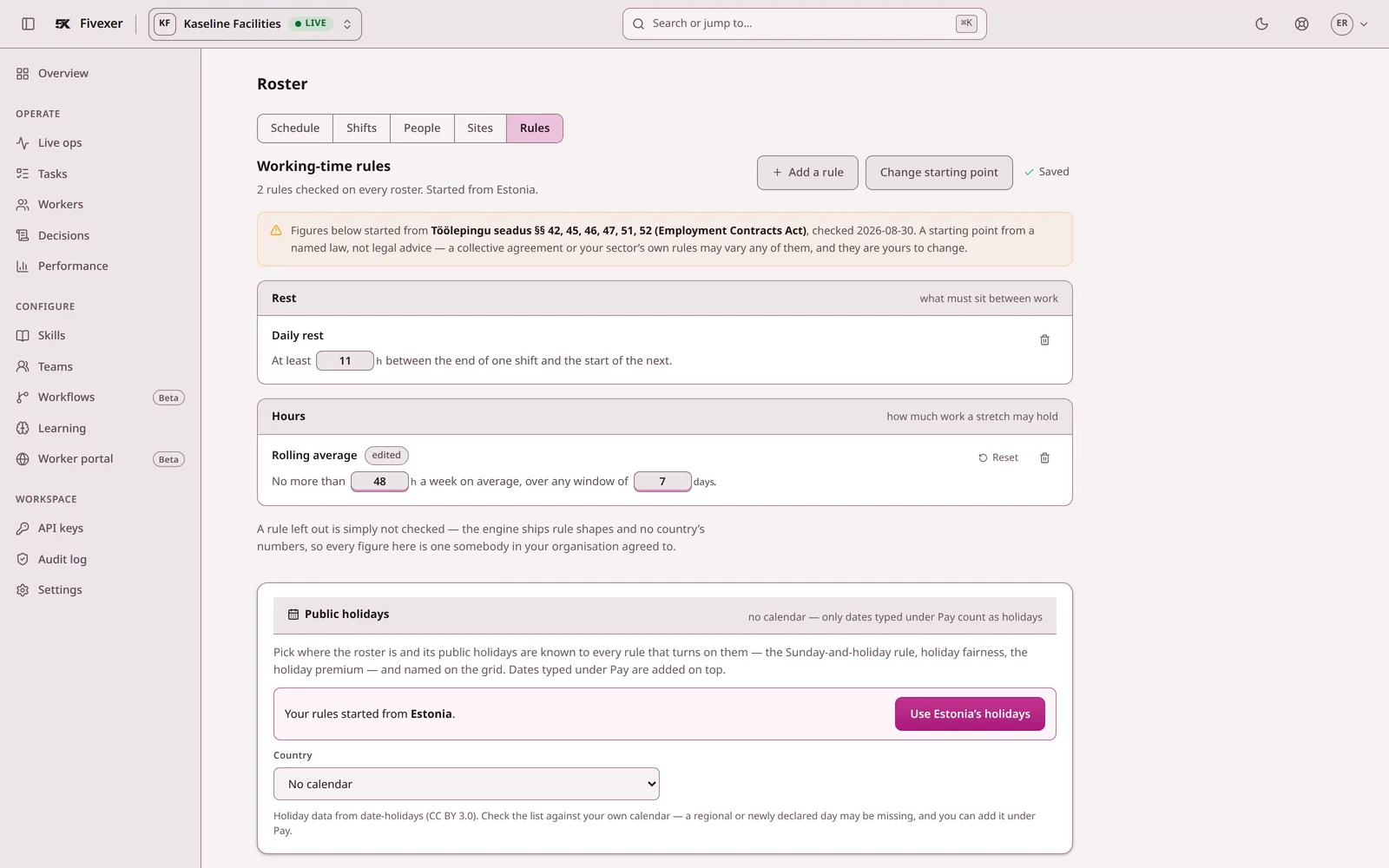
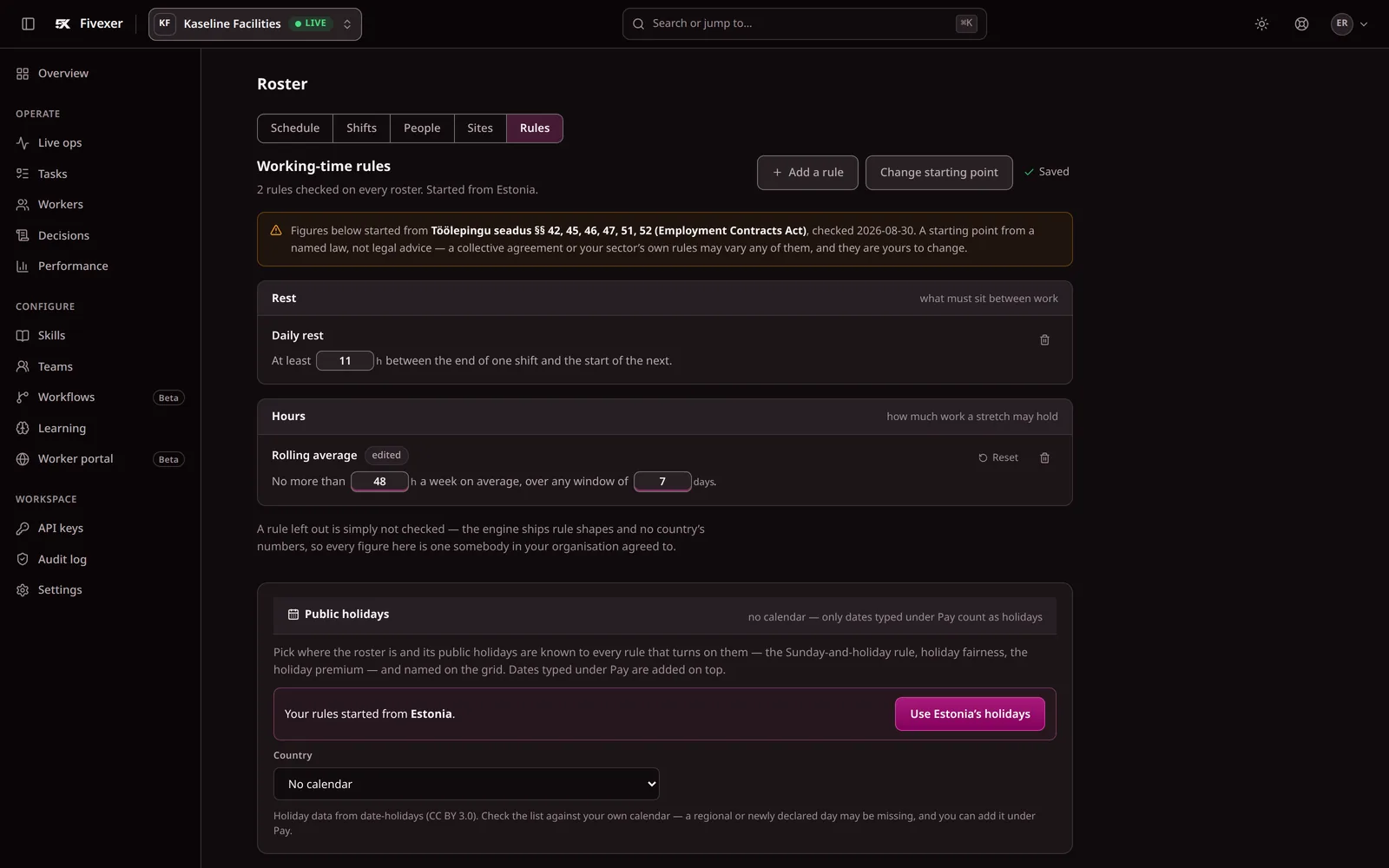
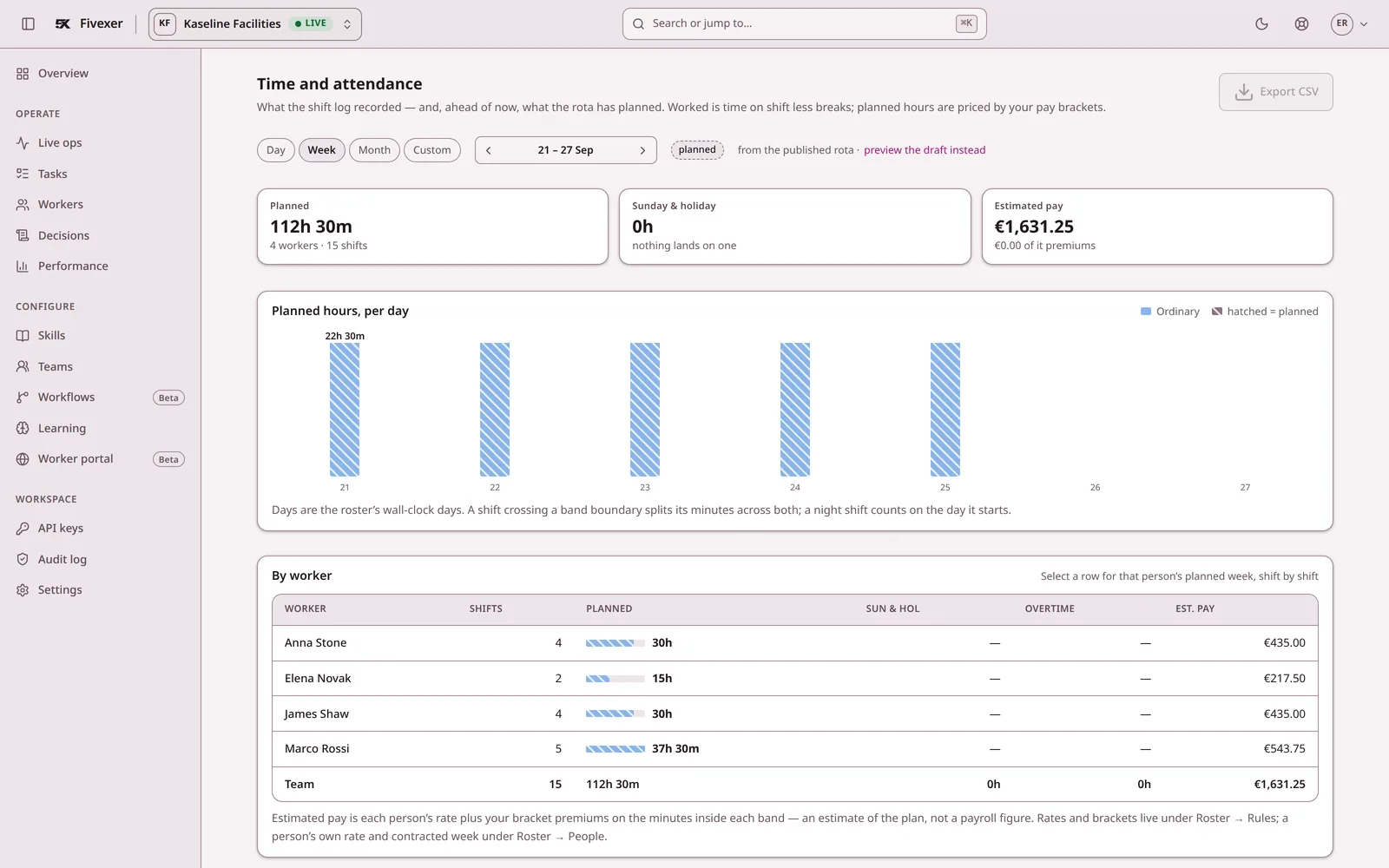
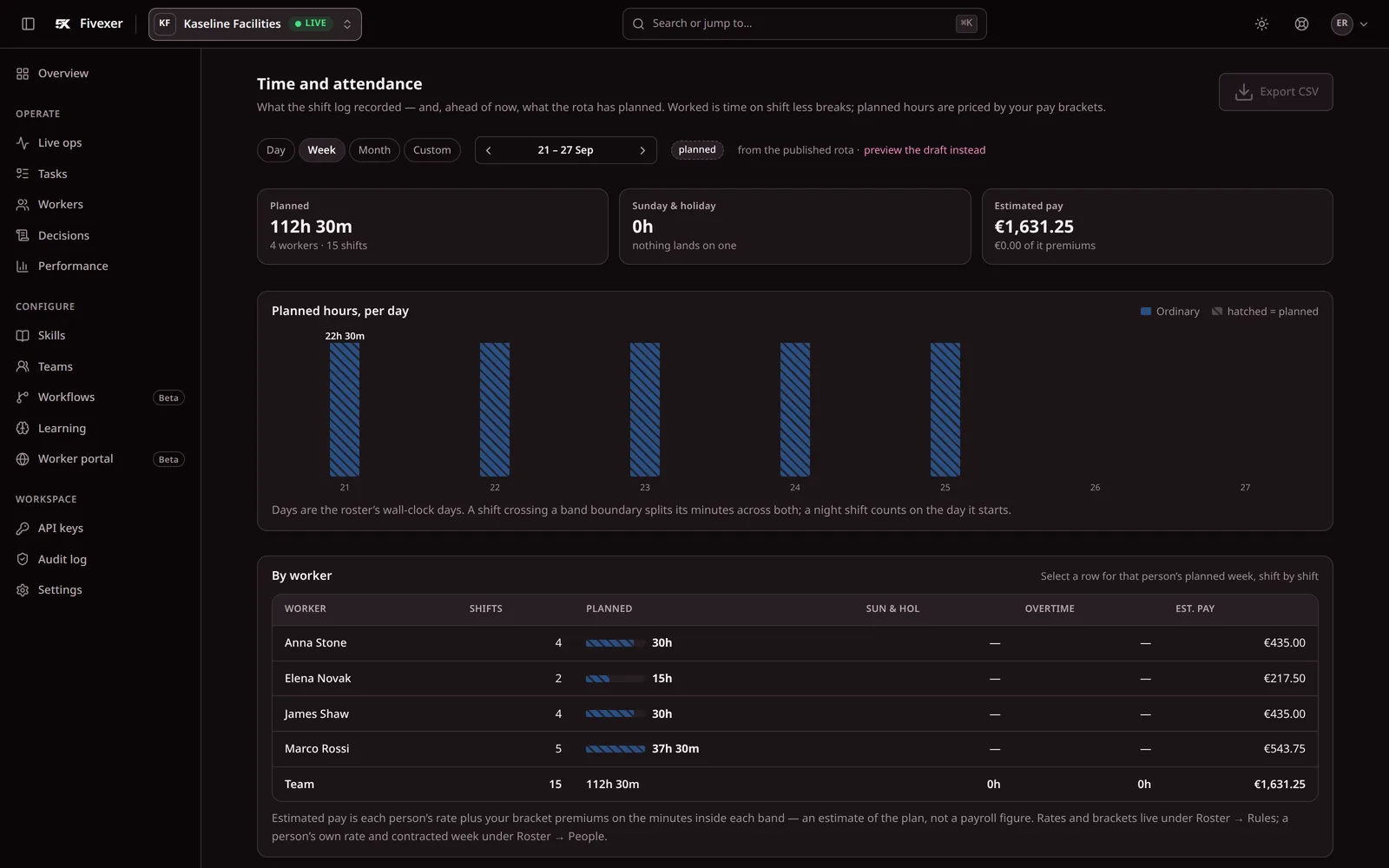
Screenshots of the console with demonstration data, not mock-ups. See every screen.
Fivexer and Toggl Track, question by question
Toggl Track is project time tracking, and for a team billing clients by the hour it is the right tool. This page is for the other case: a crew across sites whose hours are being kept in it because nothing else was to hand. Compare what changes below — including, at the bottom, when you should stay exactly where you are.
Toggl Track
$540
a month for 60 workers. How it is reached is in the price table below.
Fivexer
€22.50
a month for 60 workers. The first 15 are free.
Published list prices in each vendor’s own currency, not converted. Read 20 September 2026.
Question by question
Whose working-time rules are these?
vendor defaults against figures you set
Toggl Track
Not something the product does — it times work, it does not judge a week against rest or hours
Fivexer
Yours only. Country packs are editable starting points, not rules applied automatically — a blank rule is not checked, and a configured one is enforced and explained in words.
Why him and not her?
a record a worker or a works council can read
Toggl Track
Nothing assigns the work, so there is no decision to record
Fivexer
Every decision is one sentence: who took it, and who was ruled out by which rule.
Who covers Anna at 6am?
into qualified, rested, permitted replacements
Toggl Track
No rota and no cover flow — the answer is a phone call
Fivexer
Ranked replacements with the exclusions shown, scoped to the shifts the absence actually broke.
Can she work three sites this week?
site permission and the journey between shifts
Toggl Track
Projects and clients are the structure; a site somebody may not enter is not one
Fivexer
Permitted sites are a hard boundary, and a stated journey holds the gap between two shifts open for it.
Who takes the job that arrives at 11am?
live allocation once the roster is published
Toggl Track
Not what the product sells — the timer records work somebody already has
Fivexer
The same engine allocates the ticket, job or case that arrives during the day, against who is on shift.
Can an AI agent use it directly?
MCP tools, open source and API access
Toggl Track
A public API is published; an MCP interface is not described — one to ask them
Fivexer
Yes. Claude, ChatGPT, Cursor or any MCP client can inspect and operate the workspace through documented tools — the same rules and decision record as the UI. The engine and MCP server are open source.
Does it track hours and feed payroll?
payroll-ready records against an integrated time clock
Toggl Track
Yes — timers, reports and exports are the product, and it is better at the timing itself than we are
Fivexer
Worked hours become a reviewable payroll report with premiums, corrections, payroll IDs, period close and CSV export. It is not a GPS clock or a payroll processor.
The vendor column states what that vendor publishes on its own pricing and feature pages, read on 20 September 2026. Where a product does more than its published pages say, that is theirs to say — every unfilled row above is a question you can put to them, and they are gathered further down this page. Prices are list prices in each vendor’s own published currency and are not converted; negotiated discounts are not modelled.
What each one costs as the team grows
Published list prices, read on 20 September 2026, in each vendor’s own currency and not converted. Toggl bills for every person you give a login; Fivexer’s first 15 people are free, and each one after is €0.50 a month.
| How it is priced | 30 workers | 60 workers | 120 workers |
|---|---|---|---|
| Toggl TrackStarter at $9 per user per month — the cheapest paid tier, chosen because understating their bill is the safe direction. A crew whose hours reach payroll will in practice want Premium, published at $16 per user per month, which is the first tier with timesheet approvals and SSO; at 60 people that is $960 rather than $540. Annual billing is advertised as four months free, with no per-user annual rate published, so no annual figure is modelled. | $270/mo | $540/mo | $1,080/mo |
| FivexerFirst 15 people free, then €0.50 a person a month. Rostering is never a paid extra. | €7.50/moPay as you go | €22.50/moPay as you go | €52.50/moPay as you go |
Toggl Track publishes a free tier for “a limited number of users” without stating the number, and an Enterprise tier with no published price. Neither is modelled. Plans are sold on matched tasks. A 120-person rota is about 2,600 shifts a month, inside the free 10,000, so for a rota the per-person price is the whole bill.

What to ask Toggl
The rows above describe what Toggl Track publishes about itself. These are the ones its pages do not answer, and its own written answer to a customer is worth more than an assertion we make about it.
- How does somebody with no company email address sign in on their own phone?
- Can the system refuse a shift that would break a rest rule, or is that a person checking?
- When somebody calls in sick, what does the product do about the shift they were on?
- Is the data held in an EU region if we ask for one, and does that cover backups?
We have not answered these for you on purpose. A product’s capabilities and its data posture both change without notice, and the only reliable version is the one the vendor puts in writing for you.
Choose Fivexer — unless you are billing hours to clients
For a crew that works shifts across sites, Fivexer is the stronger choice: the week is planned against rest, hours, qualifications and permitted sites; an absence becomes ranked, genuinely eligible cover; the hours record themselves from the shift rather than being typed at the end of the week; and it carries into payroll review, corrections, premiums and export. Choose Toggl Track instead — and we mean this plainly — if what you actually do is bill project hours to clients. Its reporting, its billable rates and its desktop and browser timers are built for that, we do not compete with them on it, and a rota would be machinery you have no use for.
What this page will not claim
It does
- Build and validate a roster against rest, hours, qualifications and site permission you configured
- Turn one absence into scoped openings and rank the people who may cover them
- Record hours from the shift itself, with corrections that keep their author
- Let a worker with no company email sign in with a PIN, an invite link or a scanned code
- Review worked against rostered hours, close the period and export payroll-ready totals and premiums
It does not
- Bill a client, track a project budget, or apply a billable rate
- Prove attendance by GPS or photograph, calculate tax, or pay anybody
- Apply legal limits automatically — country packs are editable starting points and a blank rule is not checked
Not for you if
- You bill clients by the hour and the project is what the time belongs to
- Everybody is at a desk on their own schedule and nobody works a shift
- You need per-project profitability reporting more than you need a rota

Questions we get asked first
Is Fivexer a replacement for Toggl Track?
Only for one use of it. If Toggl Track is standing in for a rota — a crew, shifts, cover, hours that end up in payroll — then yes, and this page is about that. If it is doing what it was built for, billing project hours to clients, then no: Fivexer has no billable rates, no project budgets and no client invoicing, and it is not trying to.
Is Fivexer cheaper than Toggl Track?
They are priced on different things. Toggl Track publishes $9 per user per month on Starter and $16 on Premium, so the bill grows with every person you hire. Fivexer’s first 15 people are free and each one after is €0.50 a month. The two are in different currencies and we do not convert, because an exchange rate we invented would be the one unsourced number on the page.
Our crew have no work email addresses. Does that matter?
It is usually the thing that decides it. Fivexer signs a worker in with a worker id and a PIN, a single-use invite link where there is an inbox, or one QR code a whole intake scans at induction — no app store and no company email. An account system that assumes an inbox quietly excludes the people whose hours you most need recorded.
Can we keep timing work the way we do now?
Broadly, yes. Time against a task is written from the task rather than typed, and there is a one-tap timer for work nobody routed, named later or not at all. What changes is that the hours sit against a published shift and a set of working-time rules, so the week can be checked rather than just totalled.