For operations leads and planners at multi-site service contractors
Work routing, staff rosters and timesheets—connected.
Match work to qualified people, publish schedules to your branded worker portal, and turn recorded hours into a payroll handoff you can check. Improve routing from outcomes while your eligibility rules stay in control.
- One workspace, six connected parts
- Eligibility rules stay yours
- Real screens, not mock-ups
- People & skills
- Roster
- Work & portal
- Time record
And the outcomes of that work inform the next routing decision.

In control Every decision explained
From the work to the payroll
- The right person gets the task
- Routed
- The rota is planned and checked
- Ready
- The hours record themselves
- Payroll-ready
See the whole loop in two minutes
A task routed to the right person, a roster planned and published, the shift on the worker’s phone and the hours it recorded. Filmed in the console, not drawn.
The chapters
Pick the problem you have today.
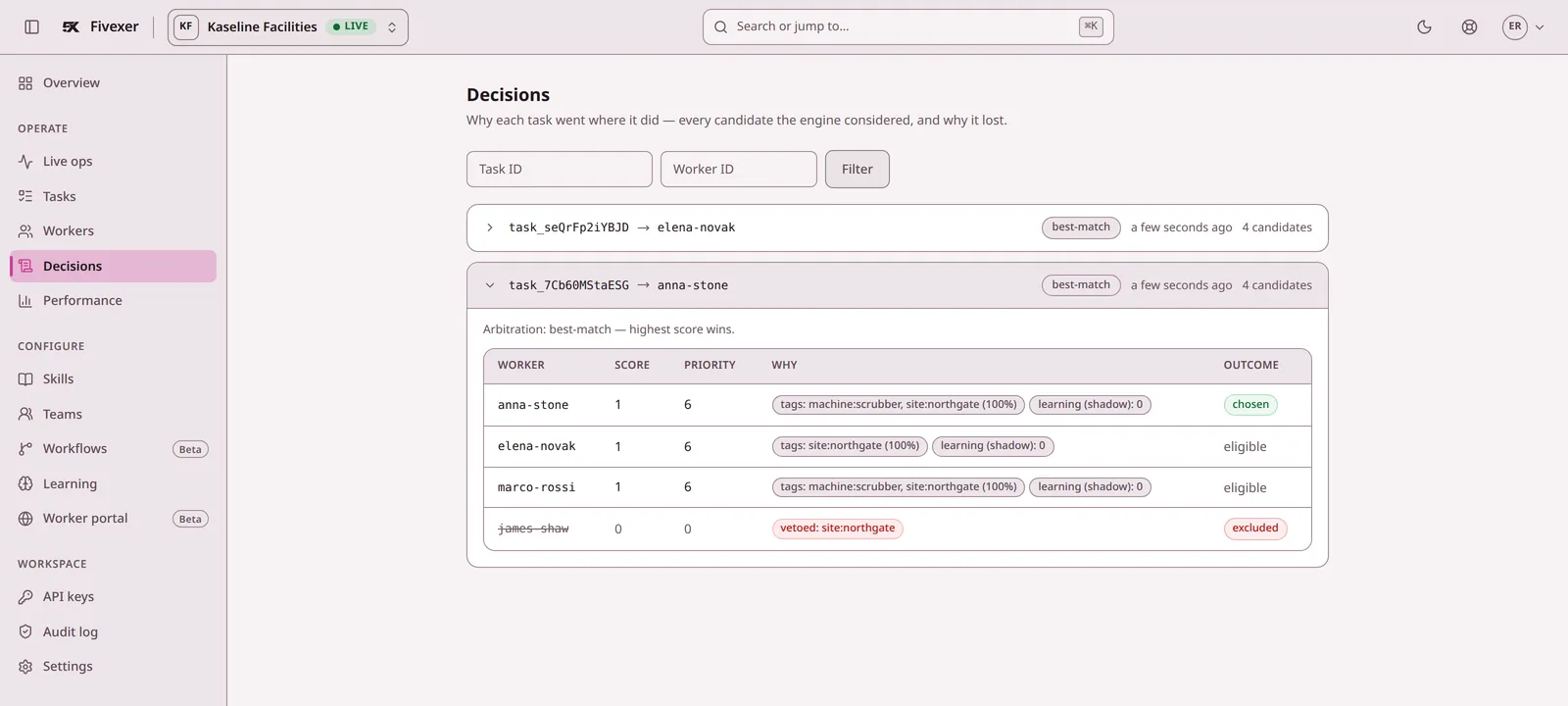
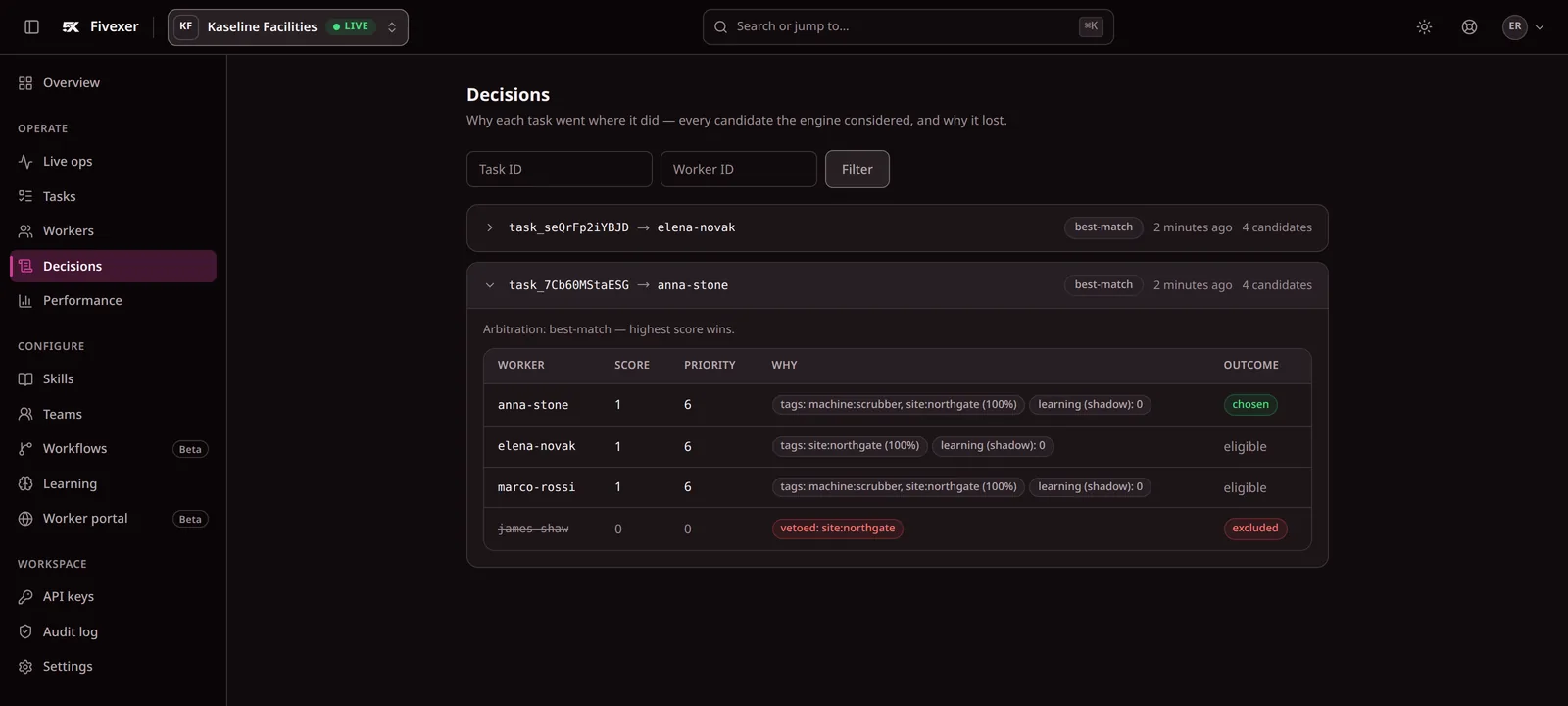
Route work without checking every person by hand.
Tags say who can do what. The engine picks — and the record says why.
- Eligible first, ranked second. A missing qualification is a veto, not a penalty.
- One offer, not a ring-round. Anna Stone gets the job; nobody else is called.
- Every candidate on the record. Who was ruled out, and the rule that did it.
Give workers one place to see and act on work.
Your branded portal — their tasks and their shifts, on the phone they have.
- A link, not an app store. They sign in and can add it to the home screen.
- Accept, pass or complete in one tap. The record updates on both sides at once.
- Shifts and cover in the same place. Published shifts, time off, and offers to cover.
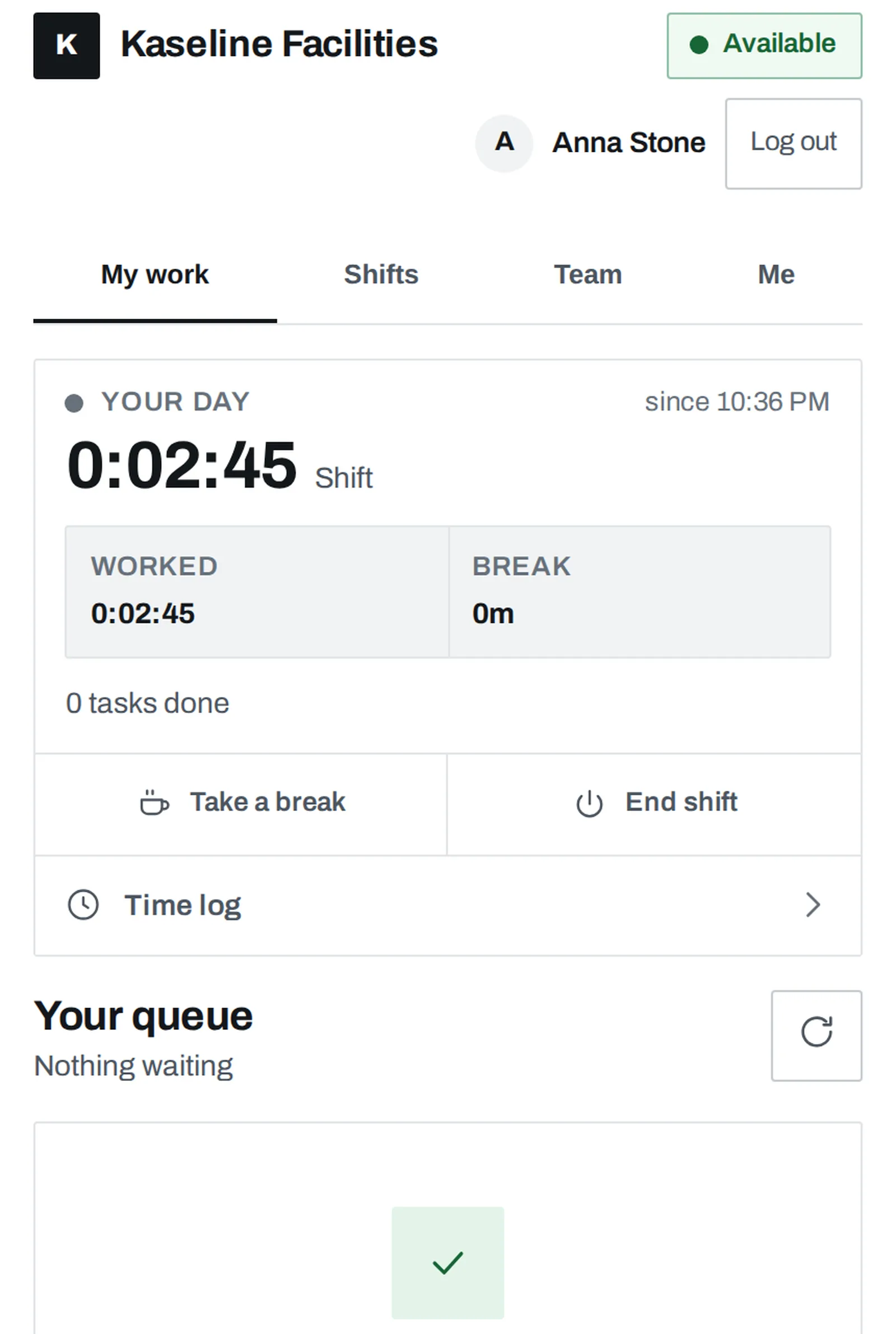
How people sign in, and what a shared device can do: the worker app.
It installs to the home screen. We do not promise instant updates on every phone.

Build the roster. Keep coverage up to date.
Plan around people, sites, qualifications and the working-time rules you set.
- Fill a week in one action. Every rule is checked as it goes.
- Someone off? Marco Rossi is offered it — and the record says who may not cover.
- Publish, and the crew sees it. The same change reaches the portal.
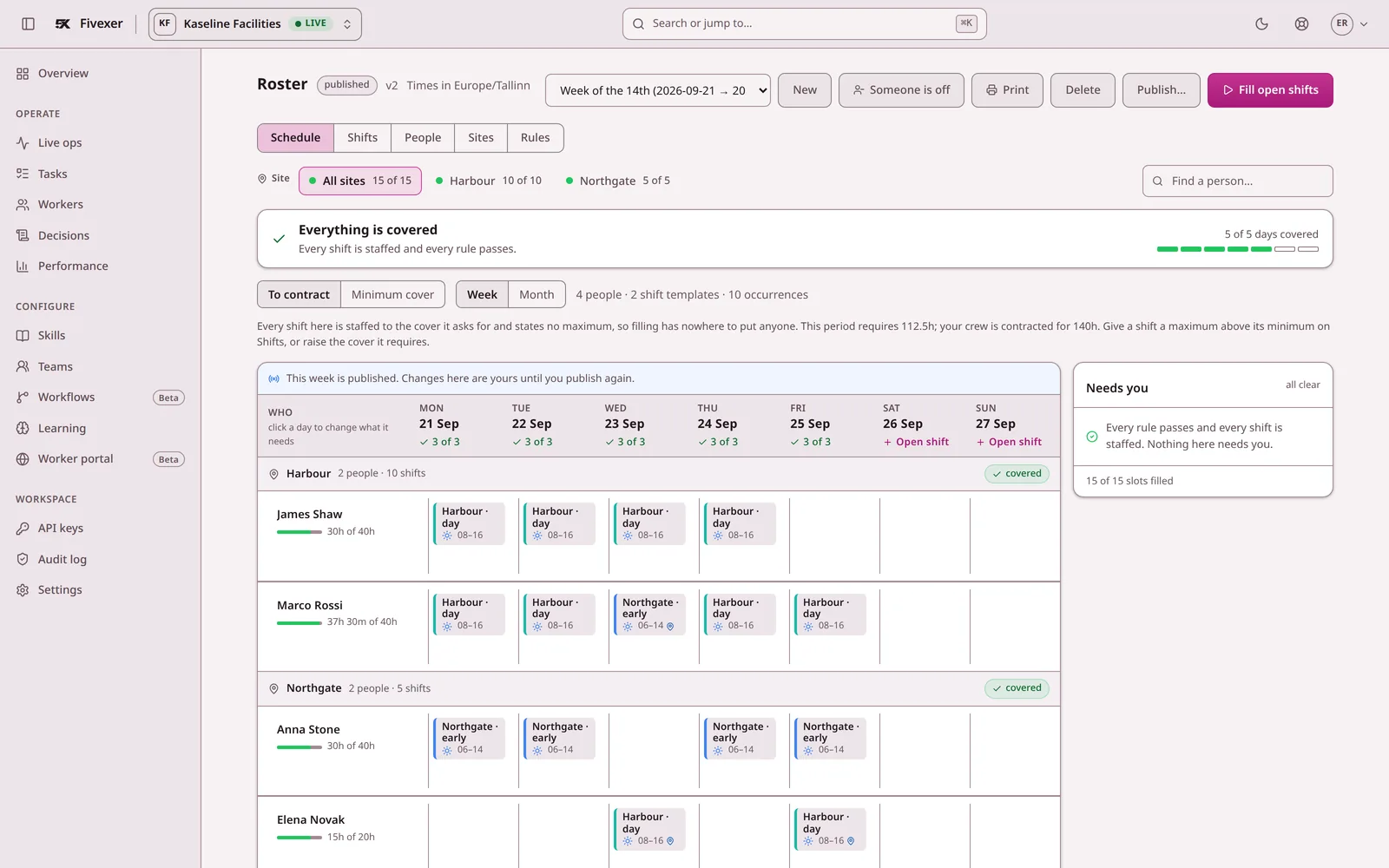
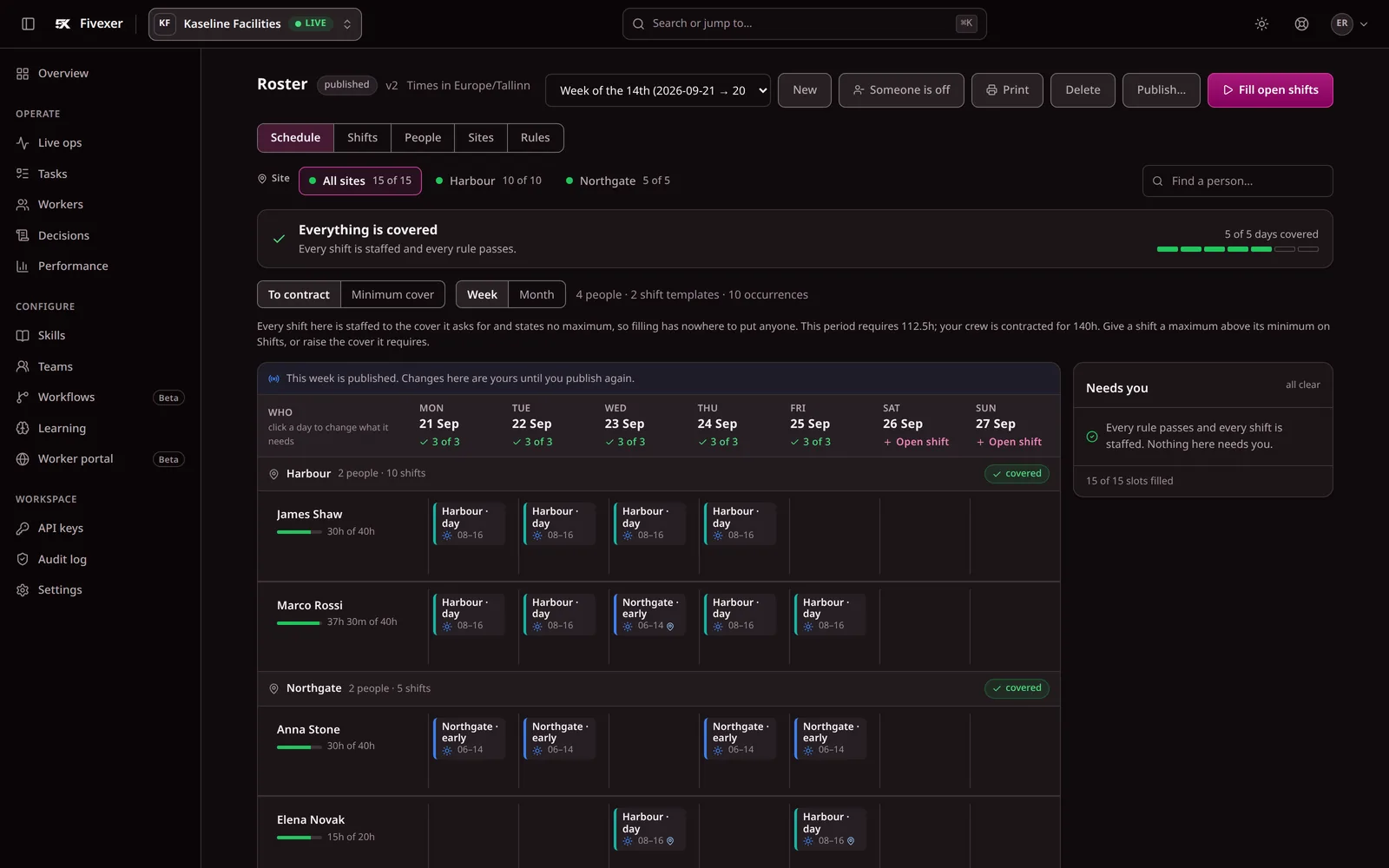
In depth: automatic rostering, skills-based scheduling and the working rules a roster is checked against.
Plan the next step for your team
Work through a specific staffing problem, or compare how you would handle the same week in another system.
Start from the whole workflow: workforce scheduling software — sites, people, rules, publication and cover in one place.
Also explore cleaning business scheduling, or compare Fivexer with Deputy, Planday and Connecteam.
The hours record themselves.
Going on shift is the clock-in. What happens after that is written, not typed.
- One switch, not two. On shift starts the record and starts the work. Off shift closes it.
- Task time is measured, not remembered. Accepted at 6am, finished at 2pm — from the task, not from memory.
- One tap for everything else. Work nobody routed still gets counted; name it later or not at all.
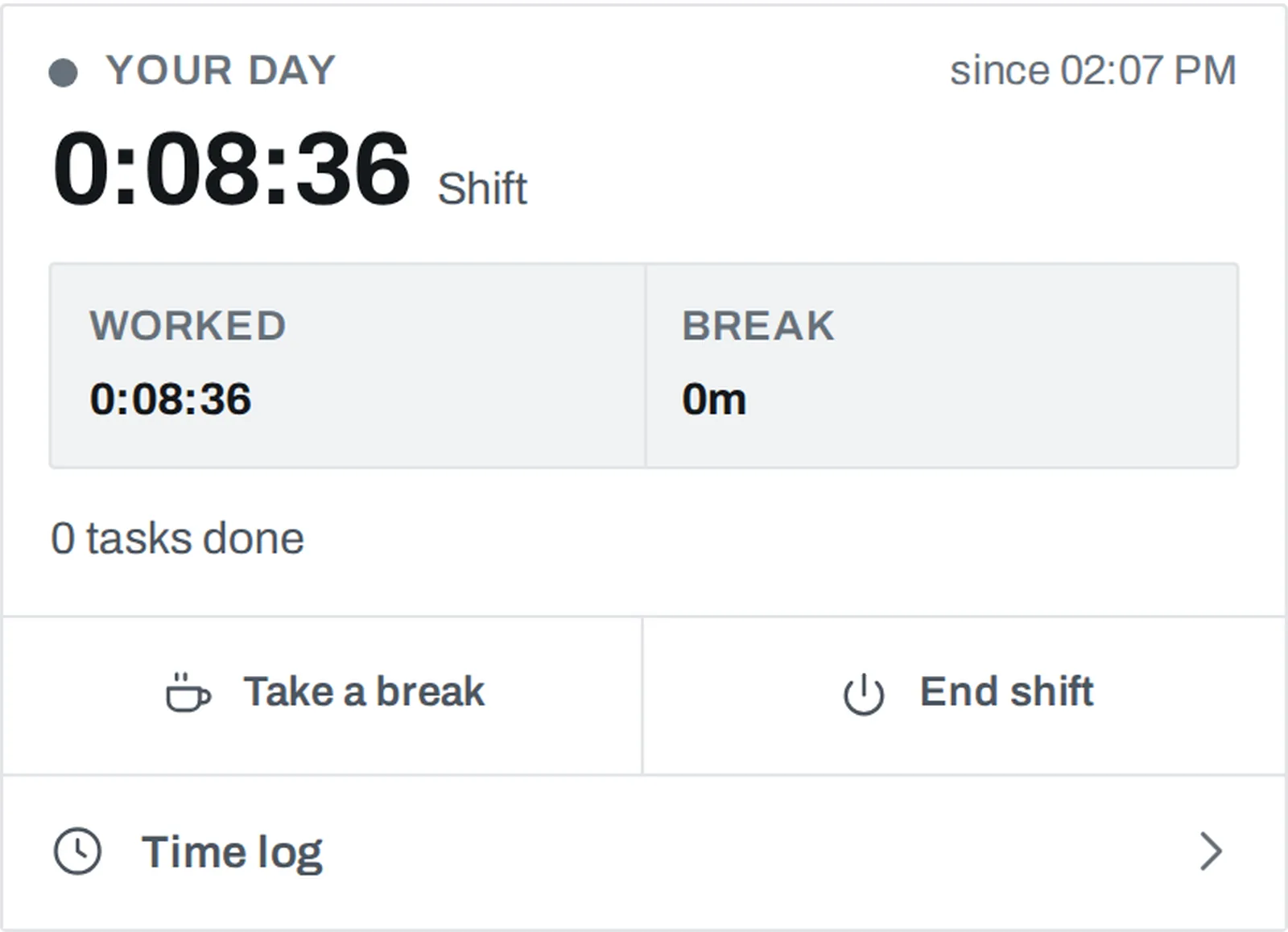
The whole of it, including corrections and what the worker sees: time and attendance.
It records what was logged. It is not proof of where somebody stood — no tracking, no geofence, no biometrics.
Prepare payroll from hours you can check.
Recorded time against the roster, priced by your own rates.
- Corrections surface before you close. Open records, missed shifts, hours nobody rostered.
- Per-worker totals, your pay rules. Night, weekend and overtime as you configured them.
- Export it, or send it. A CSV you can check, or a payroll connection.
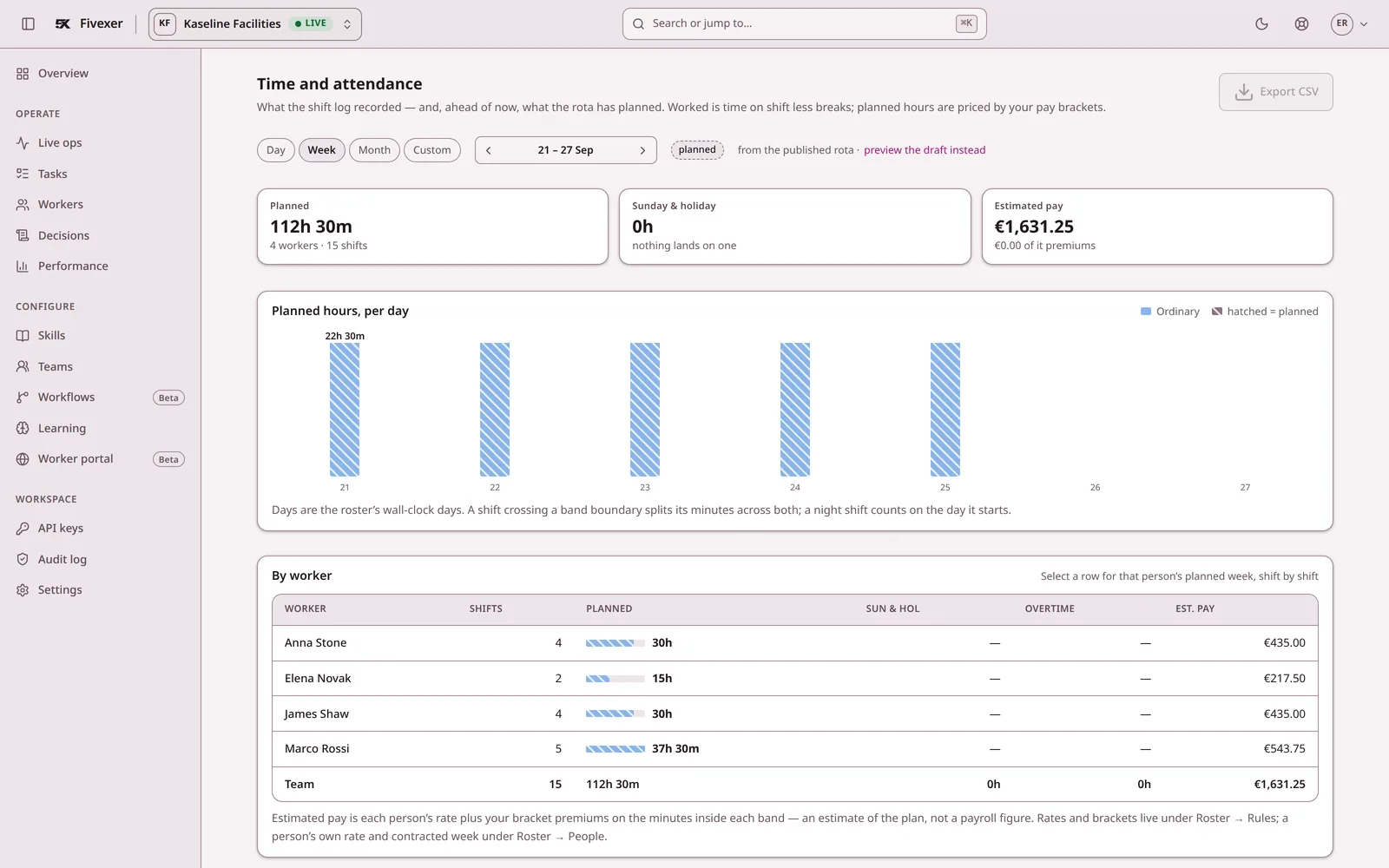
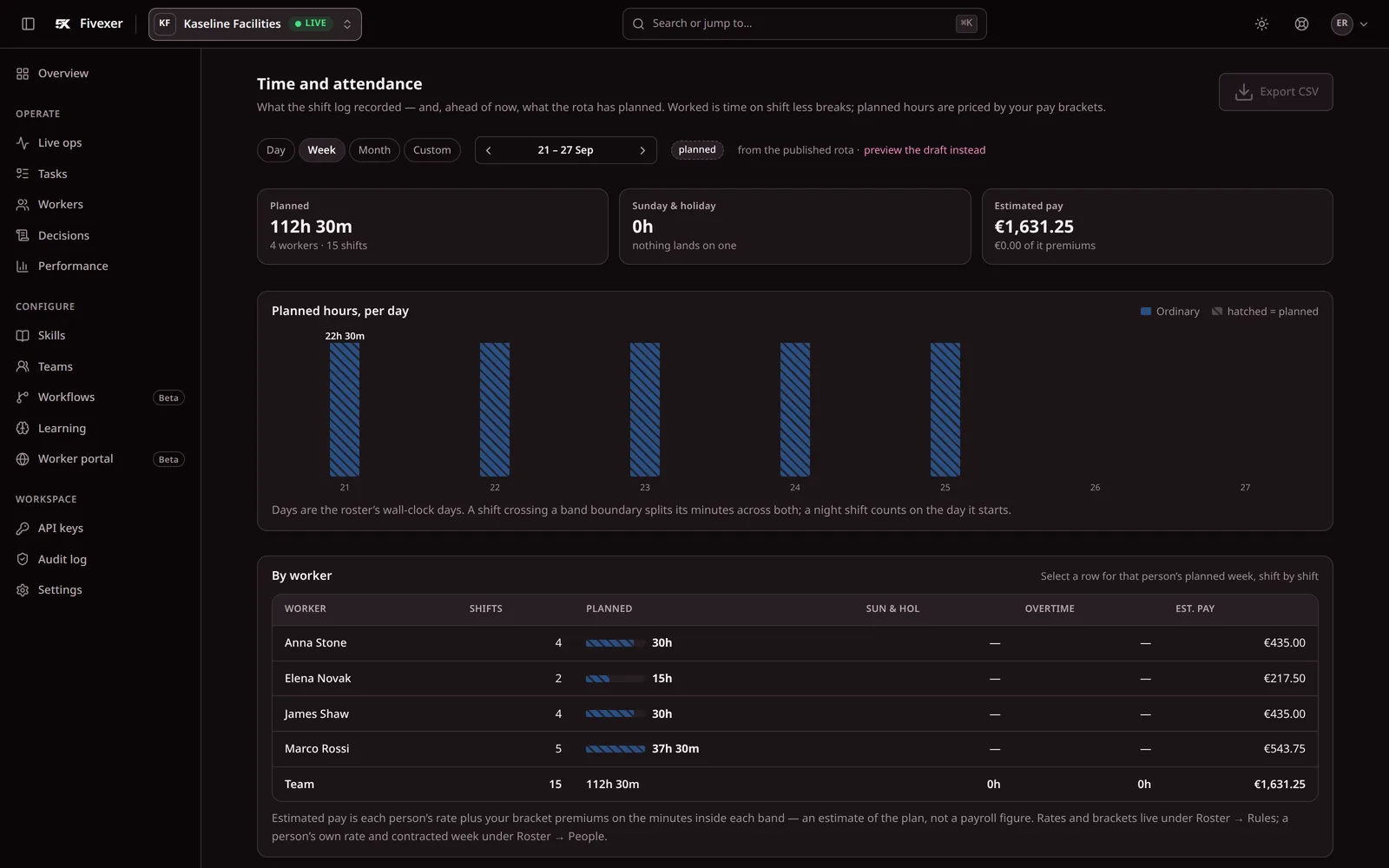
It prepares the hours. It does not calculate tax or produce payslips.
Let outcomes improve the next assignment.
What happened last time re-ranks who is offered next — inside your rules.
- Shadow mode first. Watch it learn for a month before it changes anything.
- It never routes around a veto. Eligibility stays yours; learning only orders what is left.
- Readable, not magic. The decision record shows what the model contributed.
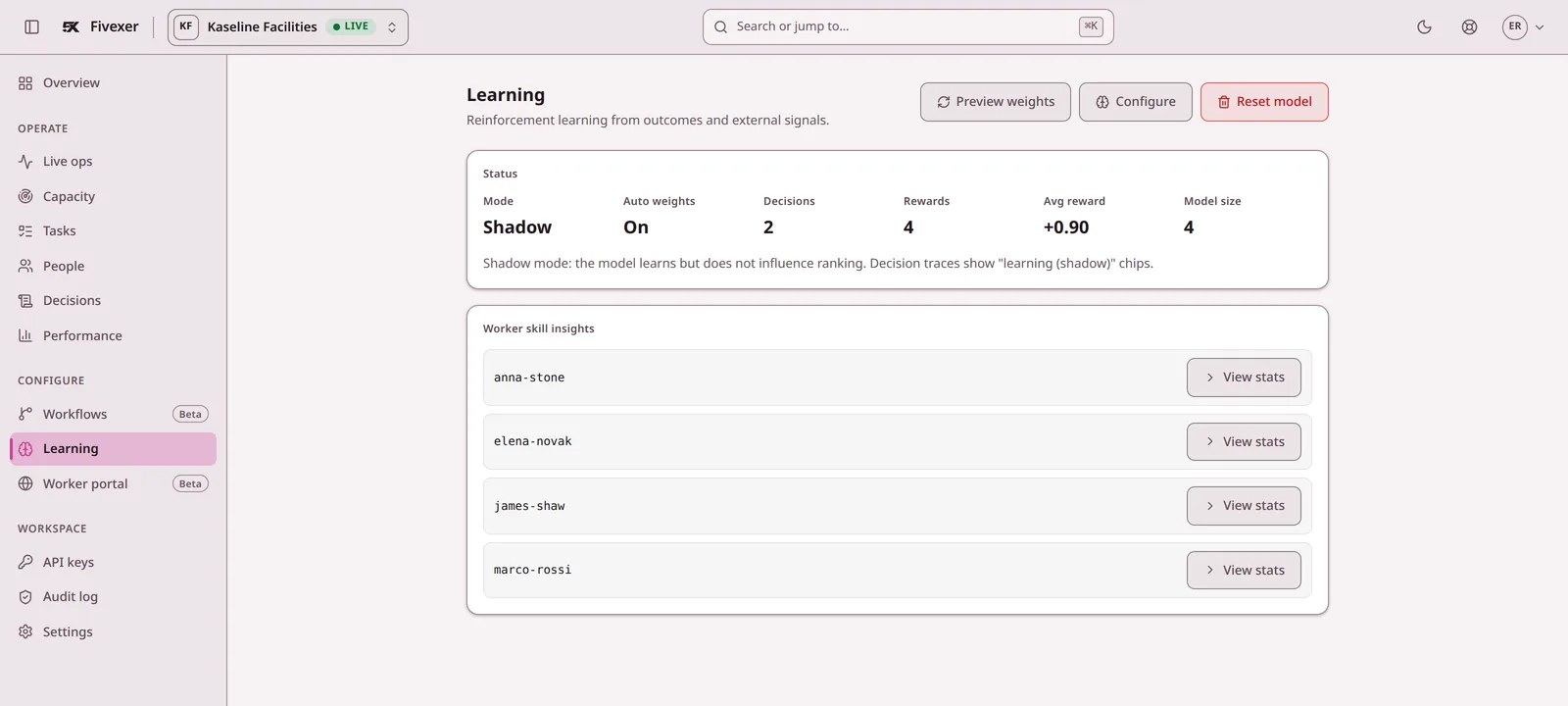
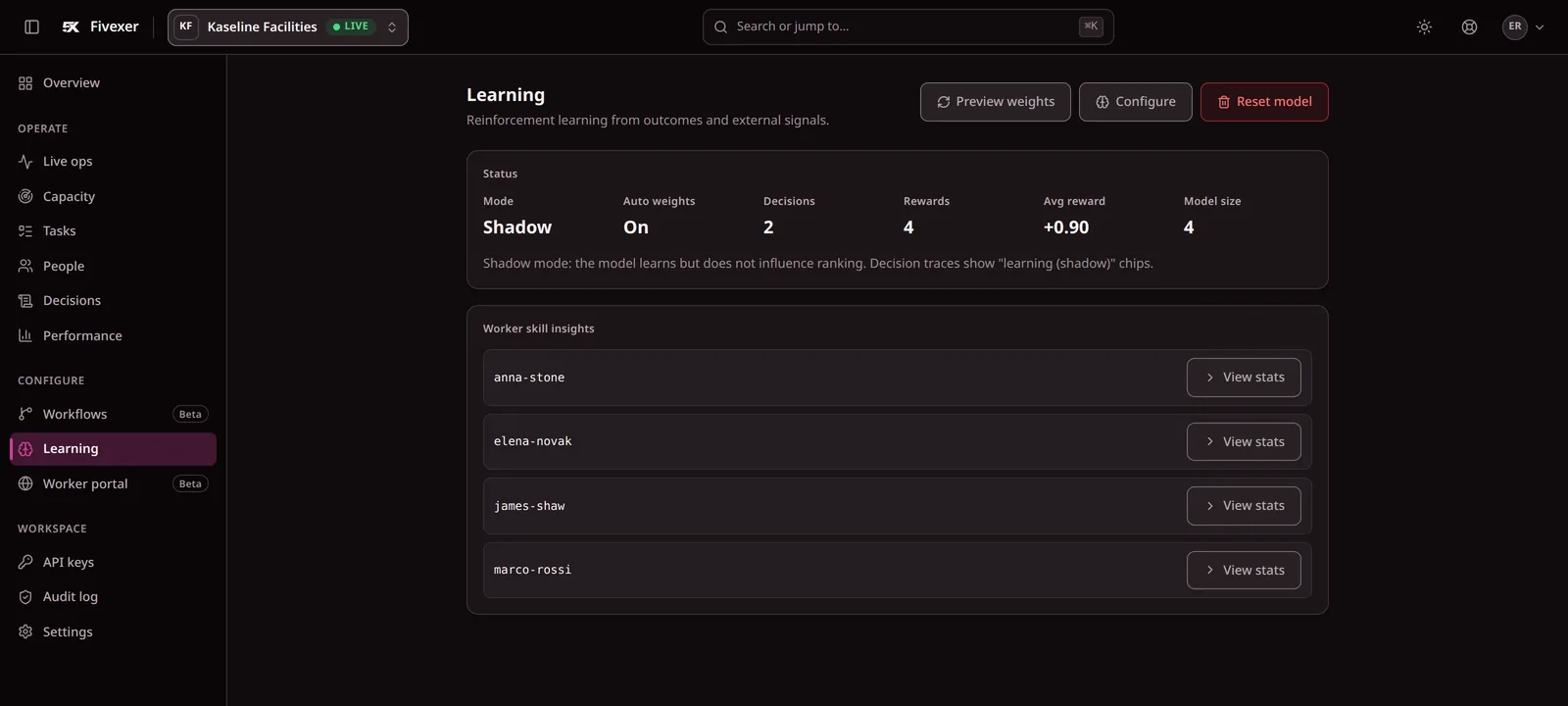
Ranking is learned. A hard rule is never crossed.
Check next week's rota before you publish it.
A free Excel rota. Add your people and their shifts. It adds up the hours and the cost, and flags short rest, over hours and under hours.
| Issue | Record | Result |
|---|---|---|
| Short rest | Kenji Mori | 8 hours between Wednesday's close and Thursday's open |
| Over hours | Tomas Novak | 47.5 hours against 40 contracted |
| Under hours | Zoe Adler | 15 hours against 16 contracted |
The example includes deliberate problems so you can see the result before replacing it with your team. The rest minimum starts at 11 hours; set the rule that applies to you.
- Hours against contractUnder and over, per person
- Cost against budgetForecast and the difference
- Short restShifts closer than your minimum
- AbsenceSick, holiday and days off, not costed
- Daily totalsHours, cost and people per day
- Overnight shifts and breaksCounted the way you set them
When the sheet becomes too manual, plan one team in Fivexer.
Fit it into the systems you already run.
Worker and task import
CSVWorker id, name, and the skill and site tags routing reads. Use the console's worker-import example when you are ready to upload them.
Worker portal
Link · installableOne hosted portal per workspace, opened from a link you send. Nothing to submit to an app store.
Payroll handoff
CSV · configured connectionPer-worker totals for a closed period. Named payroll products only once the connection is verified in your own deployment.
Feedback import
API · per task or bulkAttaches a quality signal to an existing task by id, and reports success or failure for each item.
A first month that does not need a project
- 01Pick one team Agree the tag vocabulary and who owns it.
- 02Import the workers Invite them to the portal and try it on the devices they actually carry.
- 03Publish one roster Route the first tasks against it and read the decisions.
- 04Close one period Reconcile the export against what payroll expects.
- 05Watch learning in shadow mode Before it influences anything, see what it would have changed.
What is still worth asking
Can we start with one team?
Yes, and it is the intended first step. One team, one site and one roster is a complete setup; nothing forces you to add the rest before it is worth it.
How do workers get into the portal?
You send them a link. They sign in with the access method you configure, and on supported devices they can install the portal to the home screen.
When do published portal changes reach a phone?
On the next load after you publish the version. How soon that is depends on the device's browser and its service-worker lifecycle, so it is not instant on every phone and we do not claim it is.
What happens when nobody qualifies?
The task stays queued and the decision record says which rule ruled each person out. Nobody is assigned by default, and no rule is relaxed to fill the gap.
Can we keep our payroll system?
Yes. Fivexer prepares per-worker hours and the pay calculations you configure, then exports them. Your payroll system keeps the tax, the payslips and the payments.
Can feedback from another system improve routing?
Yes, when it is attached to a task Fivexer already routed, by id. Feedback that matches no task is rejected and reported rather than silently absorbed.
Can learning override an eligibility rule?
No. Learning only re-ranks people who are already eligible. Vetoes, skill thresholds and site permissions are applied first and stay deterministic.
And what it is not
Printed here so nobody discovers it on the first call.
It replaces
- The dispatch spreadsheet and the group chat that corrects it
- The printed rota on the wall, and the four versions of it in circulation
- Re-keying hours from a paper timesheet into payroll
It works beside
- Your payroll system, which keeps the tax, payslips and payments
- Your HR system, which keeps contracts and personnel files
- Your ticketing or CRM system, which keeps the customer relationship
It does not
- Not a payroll system: it prepares hours and the pay rules you configure, and never calculates tax or pays anybody
- Not proof of attendance: a recorded time entry is a record somebody made, not evidence of where they stood
- No SOC 2 report and no contractual uptime SLA — the status page and the DPA say what is actually in place
Start with one team.
Create your free workspace, import one team and read your first decisions. No credit card, no trial countdown, and nothing here configures itself without you.